Battlespaces — Your Operational Container
A battlespace is the core organising container in Krataxis: a named working folder for a single situation — "Eastern Ukraine 2025", "Red Sea Shipping", "Sahel Insurgency". It binds together the actors, events, units, and intel that belong to one operational picture, so you can reason about that situation as a coherent whole rather than against a global firehose of data.
If you've ever worked a physical case file — everything about one investigation in one folder, so you can pick it up, work it, and put it down — you already have the idea. The platform's version just happens to be live, shared, and constantly fed by the intel pipeline.
Battlespaces are universal — they exist across every workbench. In the Health workbench the same container is presented as an Outbreak, but the idea is identical: a scoped workspace for one situation. Learn it once, use it everywhere.
Why battlespaces matter
The platform takes in a continuous, noisy stream of reporting. A battlespace is how you cut that stream down to what's relevant: it gives intel a place to land, scopes your panels and analytics to one situation, and becomes the unit you share with teammates.
There's a second, less obvious reason it matters. Much of the platform's deeper analysis is computed relative to the battlespaces an item is relevant to — relevance scoring, actor attribution, escalation signals all take the container into account. So the battlespace isn't just organisational; it actively shapes what the system surfaces for you. A well-defined battlespace produces a sharper picture than a vague one.
A useful way to think about it: the global view is the world; a battlespace is your desk. You can see everything on the world map, but you do focused work on one desk at a time.
Opening the battlespaces manager
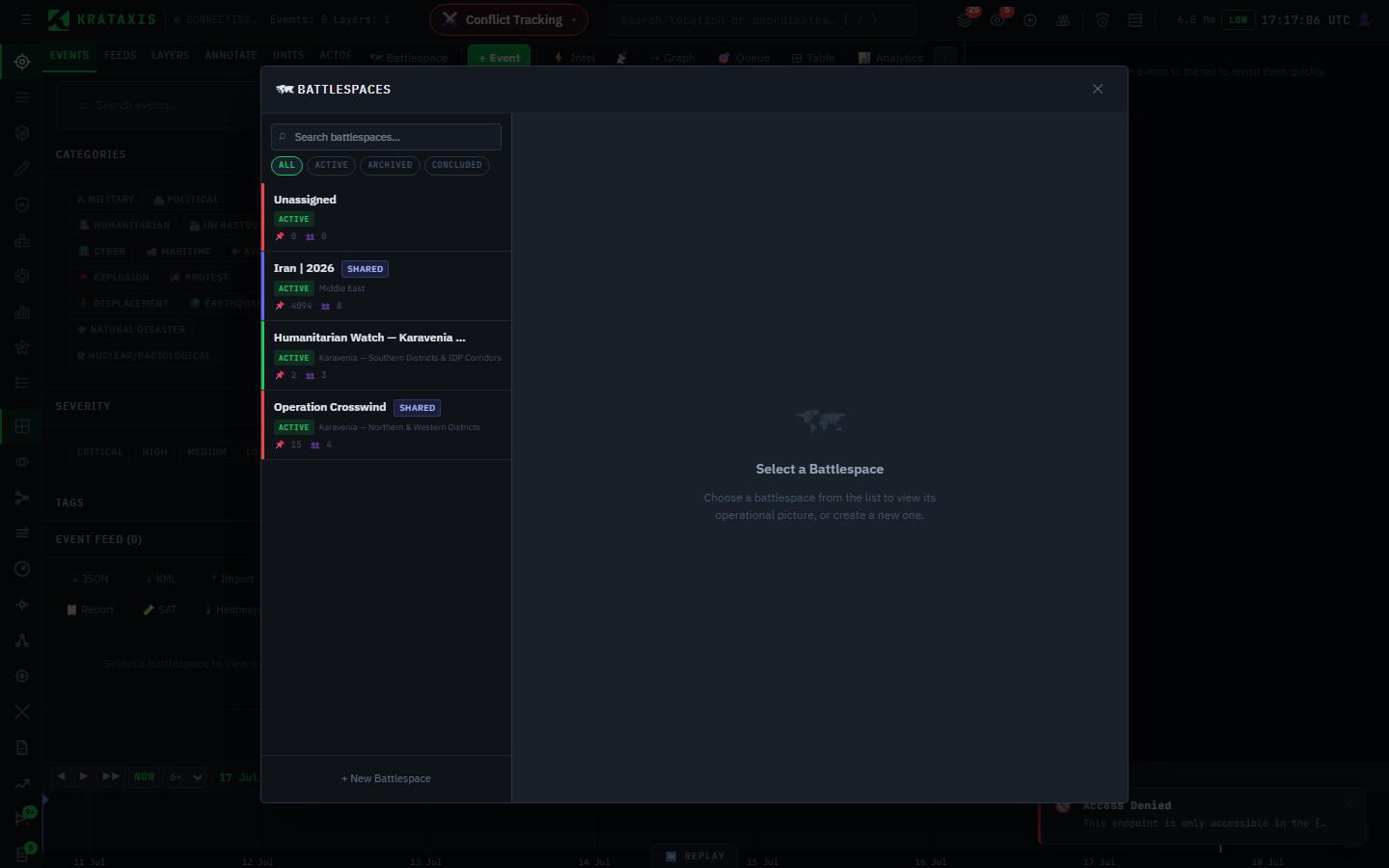
Click the battlespace context button in the header (it reads 🗺 Battlespace when nothing is focused, or shows the focused battlespace's name and colour) — or use the Battlespaces item on the left rail. The panel lists every battlespace you can see, with a search box at the top. Battlespaces shared with you carry a shared badge.
Creating one
With a write-enabled account, click + New Battlespace and fill in the form:
| Field | Example |
|---|---|
| Name | Eastern Ukraine 2025 |
| Region | Donetsk Oblast |
| Description | Operational context, scope, objectives… |
| Actors | The forces involved — e.g. an Aggressor and a Defender |
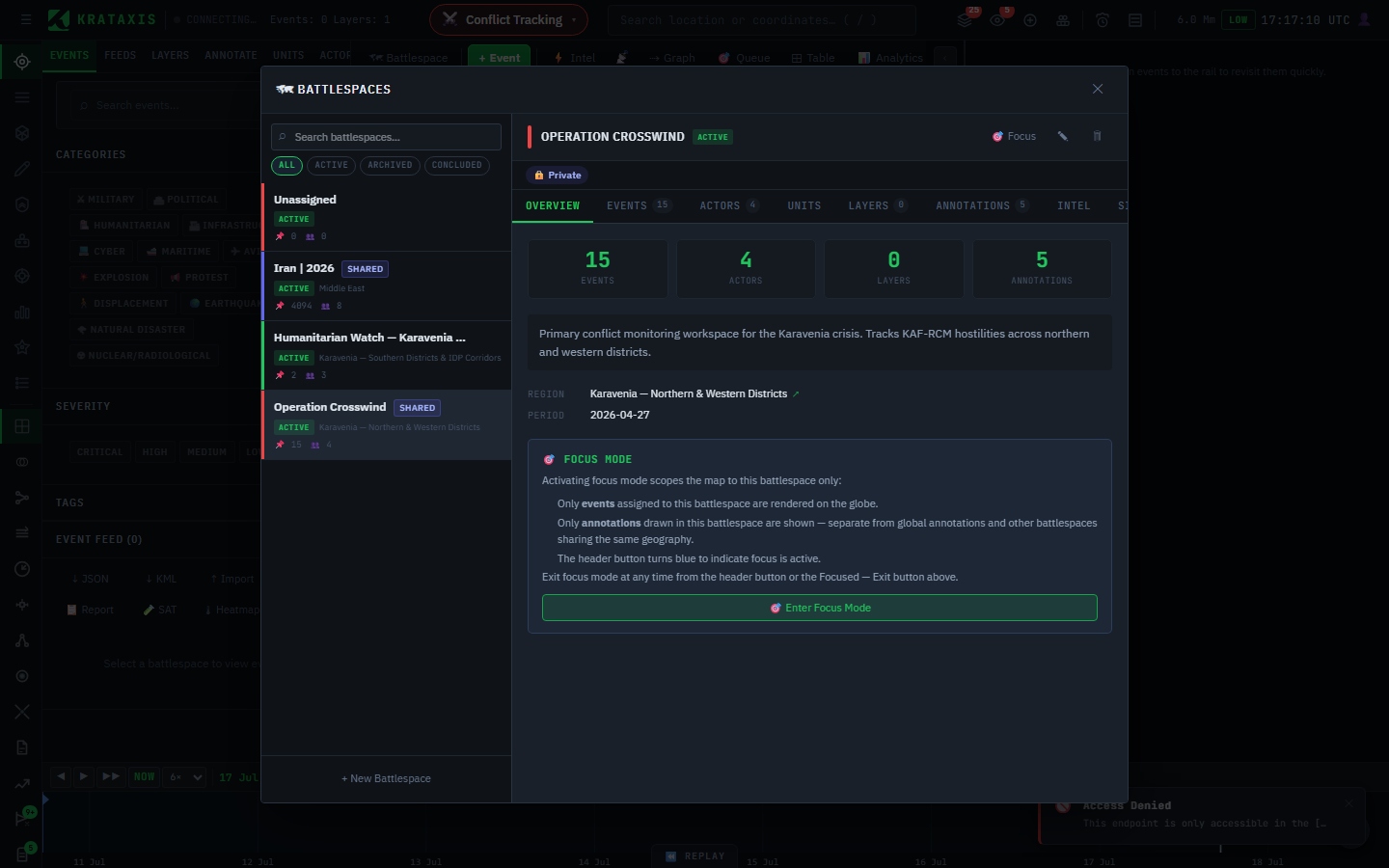
Click Create. The new battlespace opens in the detail view, where the tabs across the top — Overview, Events, Actors, Layers, Units — let you attach the entities that belong to this situation.
Set up actors early. The actors you define here are what the platform uses to attribute incoming reporting to a side. A battlespace with its actors defined produces a much sharper picture than one without — see Actors & Territory.
Focus mode
The most important battlespace control is Focus. Click 🎯 Focus (in the detail view, or from the header) to enter focus mode: the map narrows to show only that battlespace's events and annotations, cutting away everything else so you can concentrate on one situation. The header button shows the focused battlespace's name and colour while focus is active.
Focus mode is like putting on noise-cancelling headphones: the rest of the world doesn't stop existing, you've just chosen not to hear it while you work. Exit at any time with ✓ Focused — Exit (in the panel) or the header button. With no battlespace focused, you're back to the global view across everything you have access to.
Multiple battlespaces can be active at once in the global view — focus mode is simply how you isolate one of them when you need to. Many analysts keep several battlespaces running and focus whichever they're actively working.
Sharing a battlespace
Each battlespace has a share link backed by a secure token. From the detail view you can copy the link to hand a teammate access, and rotate the token to invalidate the current link if it should no longer work.
Sharing is how a battlespace becomes a shared operating picture: everyone working it sees the same events, actors, and evidence chain, so a brief built from it rests on a common source of truth. See Collaboration & Sharing for the team workflow.
Working with several at once
| Situation | Approach |
|---|---|
| One active situation | Focus its battlespace and work in focus mode. |
| Several parallel situations | Keep them all in the global view; focus whichever you're on. |
| A cross-domain crisis | Keep a battlespace in Conflict for the security picture and an outbreak in Health for the epidemiological one. |
Where to next
- How Intelligence Flows — how raw reporting becomes the intel that lands in a battlespace.
- The Conflict Workbench Overview — working a battlespace in the default domain.