Actors & Territory
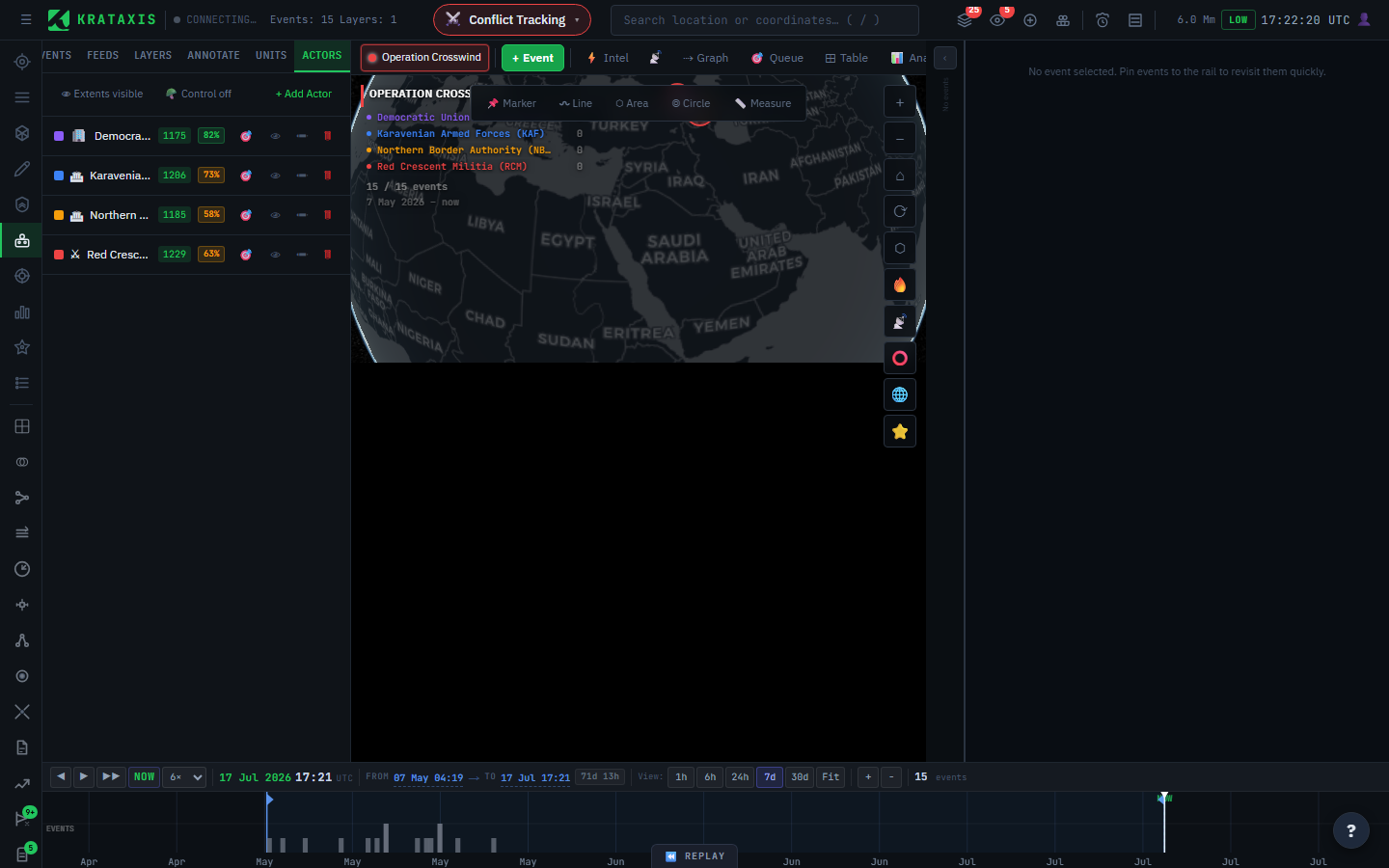
An actor is a tracked intelligence entity — a faction, force, organisation, or unit owner. Actors are how Krataxis answers "who did this?", and they anchor the platform's territorial analysis: where a force is, where it holds sway, and which way it's moving.
Actors are managed per battlespace, so focus a battlespace first — the + Add Actor button only appears when one is active.
Why actors are worth setting up properly
Almost everything downstream depends on the actor roster. Attribution of events, the actor position in every ESC code, territorial analysis, and the actor filters in the causal graph all rest on it. A battlespace with a well-defined roster produces a far sharper picture than one without — it's the highest-leverage setup step you can take.
The reason is mechanical, not magical: incoming reporting names forces in dozens of inconsistent ways, and the roster is the dictionary the platform uses to resolve those names. No dictionary, no attribution.
Adding an actor
Open the Actors tab and click + Add Actor:
| Field | Purpose |
|---|---|
| Name | The actor's display name |
| Description | Intelligence notes, background, affiliations |
| Aliases | The names this actor is known by in raw reporting, entered as chips |
| ESC Actor Slot | The single letter (A, B, X…) this actor occupies in ESC codes |
Two fields do quiet, important work:
- Aliases are what the platform matches against incoming reporting to attribute an event to this actor. The more complete the alias list, the better the automatic attribution — and the better the ESC code's actor position resolves. Add aliases as you encounter new names for the same force; a militia might appear under its full name, an acronym, its leader's name, and a regional nickname, all in the same week.
- The ESC actor slot maps this actor onto the actor position of every event's ESC code, and is what lets the system compute the actor's territory.
Control vs influence
The platform computes two territories per actor, each answering a different question. Keeping them distinct is the key to reading the map correctly:
- Control — drawn tightly around where the actor's units physically are. It answers "where is this force on the ground?"
- Influence — a broader territory weighted against competing actors: it expands into open ground and is squeezed back where it meets a rival force. It answers "where does this force hold sway?"
An everyday parallel: a shop's control is its premises; its influence is the neighbourhood that shops there — and a rival opening across the street shrinks the influence without moving the walls. The military version behaves the same way.
Toggle these from the Actors tab. Influence overlays can be shown or hidden across the map (the setting persists); control is off by default — turn it on when you want physical unit positions rather than claimed sway.
Wide influence over thin control is itself a signal. A force claiming sway far beyond where its units actually sit is either projecting successfully or overextended — either way, worth a closer look.
Force vectors
Alongside the territory, each actor gets a force vector: an arrow showing the direction and pace at which the actor's centre of activity is shifting between recent periods. It's a proxy for momentum — a long vector means the actor's focus is moving fast; a short one means it's holding. Read it as "which way, and how hard, is this force pushing?"
Claim accuracy
Actors also accrue a claim-accuracy record: how often this actor's claims are later verified. It's shown against each actor in the roster, and it's worth glancing at before you weight a new claim — an actor that habitually exaggerates has told you how to read its next statement.
Replaying territorial change
Because territory is captured over time, you can replay how it shifted. Open the Replay control in the header to scrub through past states and watch control and influence expand or contract — a powerful way to show, not merely assert, that a front line moved. It's often the most persuasive single artefact in a brief.
Where to next
- ESC Codes & Symbology — how the actor slot feeds event classification.
- Units & NATO Symbology — the unit positions that drive an actor's control territory.