Feeds & Sources
Feeds are how live reporting gets into Krataxis. Each feed is a source the platform monitors and pulls from in near real-time; everything it returns enters the intel pipeline — normalised, deduplicated, scored, and clustered like any other intel.
A helpful way to picture the system: the pipeline is a water-treatment plant, and feeds are the inlet pipes. You choose which pipes to connect and which reservoirs (battlespaces) they serve; the plant treats everything the same way once it's inside. This article covers connecting the pipes, scoping them, and watching what they bring in.
The Feeds tab and the Feed Manager
Open the Feeds tab from the sidebar (or the left rail). The Feed Manager lists every source you've connected, with a count, a search box to filter by name or URL, and per-feed controls.
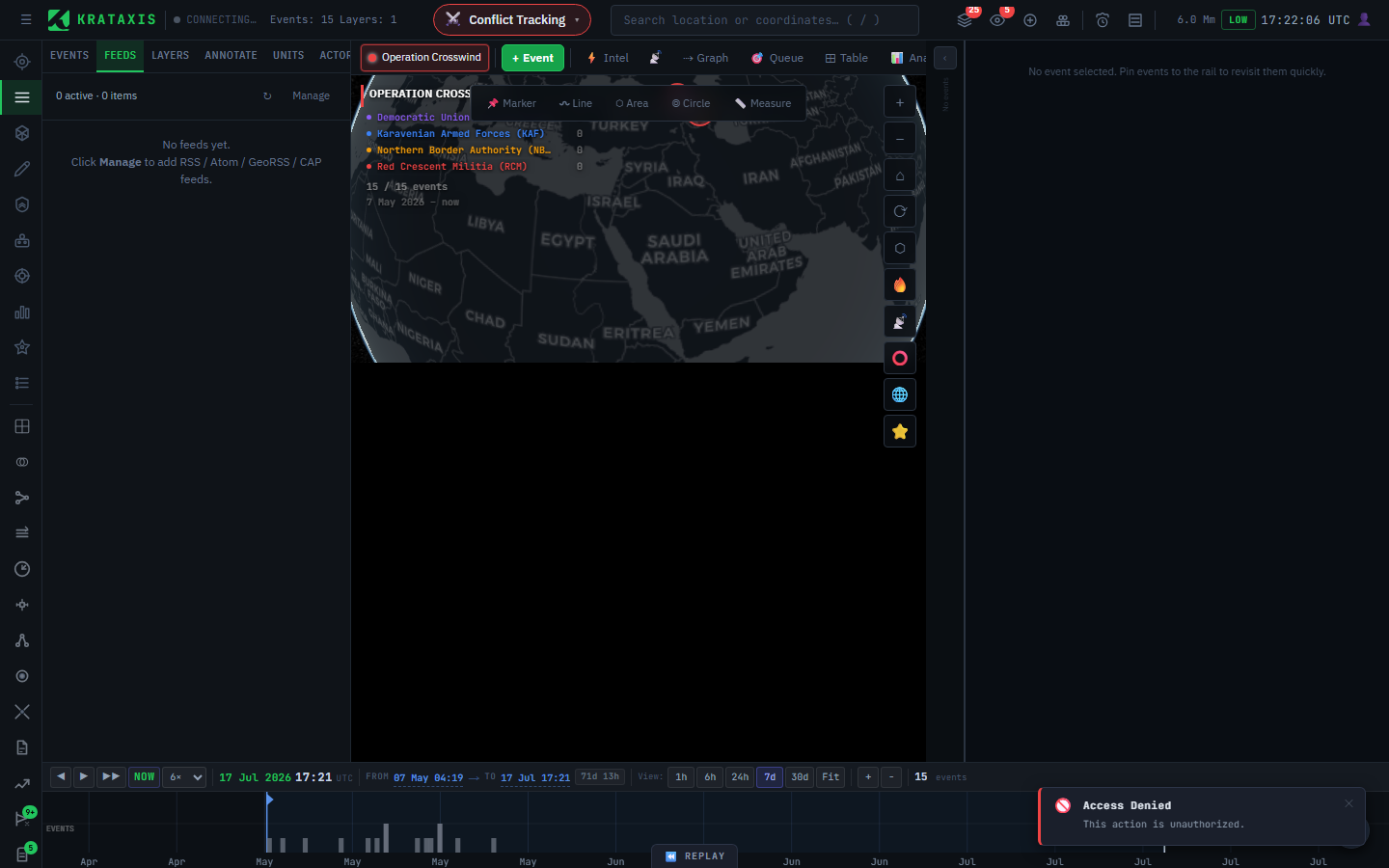
From here you can:
- + Add Feed — connect a new source (write-enabled accounts).
- ↻ Refresh All — pull from every enabled feed now, rather than waiting for the next scheduled pull.
- Export — save your configured source list to back it up or move it to another workspace.
- Enable / disable each feed with its checkbox — a disabled feed stays configured but is skipped on pulls.
Source types
When you add a feed, you choose its type so the platform knows how to read it. Broadly, feeds fall into a few families:
| Family | What it brings |
|---|---|
| Web & news feeds | General reporting from across the open web — paste the feed URL. The catch-all for everyday sources. |
| Structured conflict-event data | Curated datasets of geolocated incidents, with parameters such as region or time window. |
| Humanitarian & crisis reporting | Situation reporting scoped by region — useful for disaster and humanitarian pictures. |
Each type asks only for what it needs — typically a URL or a small set of parameters such as a region or date range. The named, structured datasets give you cleaner, geolocated incidents; the general web feeds give you breadth.
The point of having several families is coverage: structured datasets give precision, the open web gives reach. A good battlespace usually draws on both — the same way a good news desk runs both the wire services and its own stringers.
Global news-event monitoring (GDELT)
One structured source deserves a specific mention, because it underpins much of the platform's background awareness. GDELT distils worldwide news — print, broadcast, and web, across dozens of languages, refreshed every 15 minutes — into discrete, already-geolocated events: an airstrike here, a protest there, each tagged with an event type and a place. Those events arrive as markers on the map and flow through the intel pipeline like any other reporting, so a battlespace picks up relevant global activity in its area without anyone wiring up individual sources.
Two things make GDELT events especially useful:
- They carry real coordinates. Because the source resolves each event to a location, the platform keeps only precisely-placed incidents (city- or landmark-level) and drops vague country-wide mentions — so the markers you see are ones you can actually act on.
- They come pre-corroborated. GDELT knows how many distinct news outlets reported the same event, and the platform uses that outlet count directly as a corroboration signal — so an incident carried by a dozen independent outlets outweighs a lone claim from the outset (see Credibility & Validity).
Unlike the web feeds you add yourself, platform-wide sources like GDELT are configured centrally by an administrator — see Administration & Systems for the controls: which event types to watch, how precise a location to require, and the polling cadence.
Scoping a feed to a battlespace
Each feed can be assigned to a battlespace. The rule is simple and worth remembering:
An unassigned feed appears in all views. An assigned feed is tied to its battlespace.
Assign a feed to a battlespace when its reporting is specific to one situation — say, a regional source dedicated to Eastern Ukraine 2025. Leave it unassigned when it's a general wire you want visible everywhere. (Relevance scoring still happens regardless — see How Intelligence Flows — but assignment is the explicit, deterministic scoping control.)
Reading what comes in
Connected feeds surface in a few places:
- The 📡 live feed dock (toggle from the header) streams incoming items in near real-time as the platform pulls them.
- The News panel (Tools → News) gives a readable ticker of news-type items.
- Geolocated items appear as features on the map and feed the Intel, Triage, and credibility machinery like any other intel.
The header's LIVE indicator tells you the real-time connection is up; when it reads CONNECTING…, new items may be briefly delayed.
Good practice
- Start broad, then prune. Add a handful of sources, watch what they bring in, and disable the ones that only add noise. It's much easier to judge a source by its output than by its description.
- Mix families. Pair structured datasets with general feeds so you get both precision and reach.
- Scope deliberately. Tie situation-specific sources to their battlespace; keep general wires unassigned.
Where to next
- How Intelligence Flows — what happens to feed items after they arrive.
- Credibility & Validity — how the platform grades the reporting your feeds bring in.