Analyst Quickstart
If Welcome is the why, this is the do. It covers the loop a working analyst runs most days, compressed to a page. Skim it, then start. Reach for the linked articles when you need the detail.
The loop in one line
Glance, triage, dig, scope, connect. Read the picture, decide what is real, understand it, file it where it belongs, and link it into the story.
Each pass through the loop is short (minutes, not hours) and you will run it many times a day. It is the same rhythm a newsroom editor runs on the wire desk: scan what has come in, discard the noise, chase the story that matters, file it under the right running coverage, and connect it to what has already been reported.
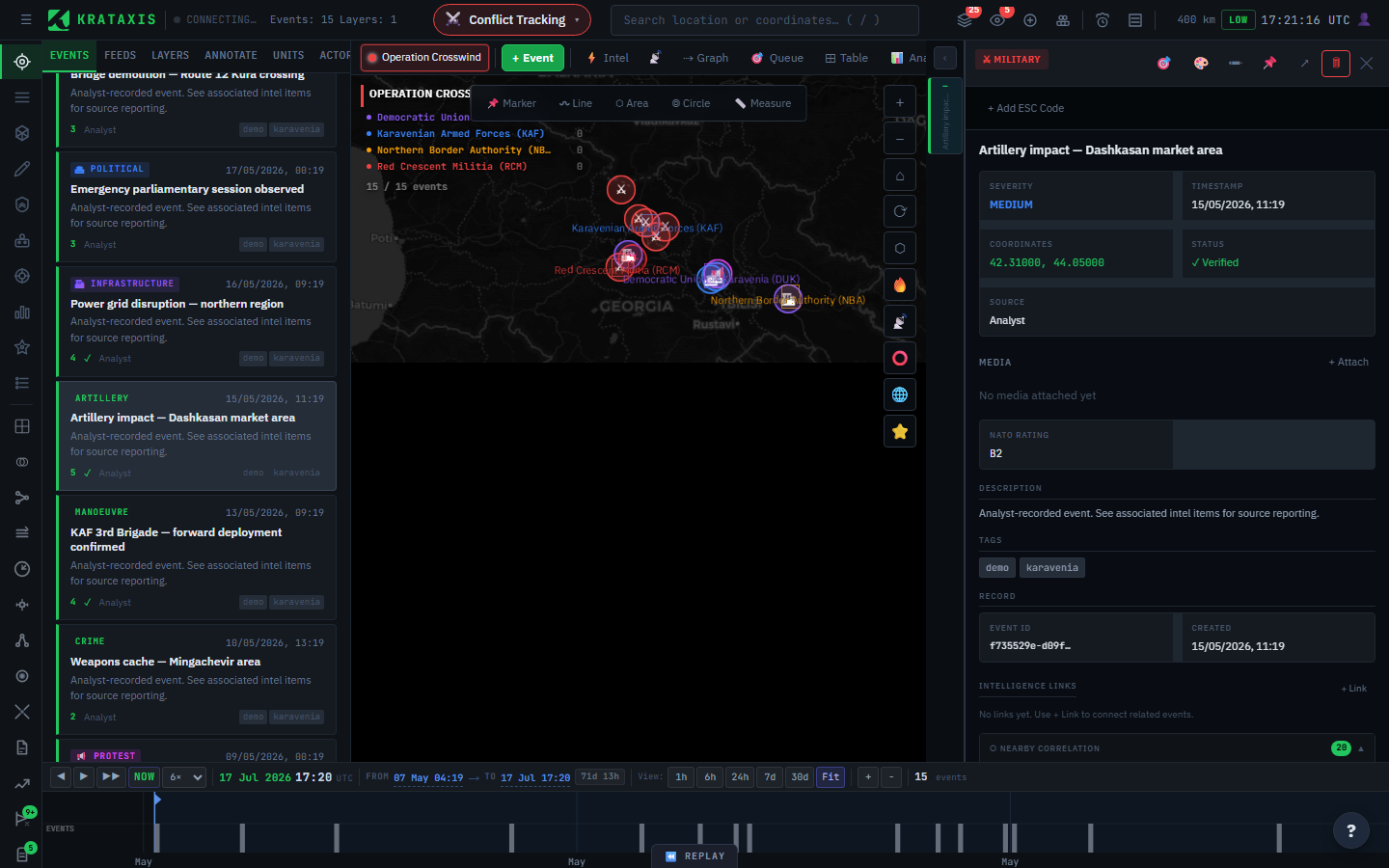
1. Glance
Open the map and the intel feed (📡). Let the graded picture orient you: where is activity concentrated, what is high-severity, what is new since you last looked. Do not act yet. Just take the temperature. If it is overwhelming, focus a battlespace to narrow to one situation.
2. Triage the queue
Open the 🎯 Analyst Review Queue. These are the well-corroborated items that wait for a human decision. Work down them: Confirm what is real, Reject what is not, Escalate what needs a closer look. This is the single highest-value habit. It is where your judgement enters the record. See The Analyst Review Queue & Triage.
3. Dig into an item
When something matters, open it. Read its credibility. Is this a single report or a heavily corroborated cluster? Check the actor behind it, follow the source, look at what is nearby in space and time. Be wary of anything that carries a deception flag. You can also search for a specific entity at any time with Ctrl+K (or Cmd+K).
4. Work inside a battlespace
Confirmed, significant items belong in a battlespace, the scoped container for one situation. Make sure its actors are defined so attribution and territory work, and let the operating picture assemble itself around them.
5. Connect the story
Single incidents are data. Linked incidents are intelligence. An artillery strike is a fact. An artillery strike that follows a reconnaissance overflight and precedes a ground advance is a pattern. Build event links and walk them in the causal graph. When you need to test a theory rather than just record one, take it to the Investigation Workbench.
Where things live
| You want to... | Go to |
|---|---|
| Find an entity by name | Ctrl+K (command palette) or the header search bar |
| See incoming intel | 📡 feed dock or ⚡ Intel panel |
| Decide borderline items | 🎯 Queue |
| Watch a place or entity | AOI tab or Watchlist |
| Understand relationships | ⇢ Graph |
| Test a hypothesis | Analytics stage |
| Switch workbench or panel | Ctrl+K, then type the name |
| Find any other panel | ⊞ Tools |
Tips that make you faster
- Focus a battlespace early. Most clutter problems are really scope problems.
- Lead with filters (severity, category, credibility) before you scroll.
- Trust the tier, not the headline. "Reported" and "confirmed" are different states, and headlines do not carry that distinction.
- Set AOIs and watchlists so the platform notifies you instead of you searching.
Where to next
- A Tour of the Workstation: every region of the screen named.
- How Intelligence Flows: what happens under the loop.